



On August 17, Google Ads changed how budget-limited campaigns behave under Target CPA and Target ROAS. I went through the official help doc and the FAQ, and put together what the change means and what to check. If your team runs global accounts and has not reviewed them yet, now is the time.
The official example explains it best. A campaign sets Target CPA at $10, the budget is limited, and the system used to bid selectively on cheaper traffic, so the actual CPA recently ran around $5. After August 17, the system bids more consistently toward the $10 target, and the actual CPA drifts from $5 toward $10. To keep the recent $5 performance, set the target to $5. Target ROAS works the same way in reverse. Set 400%, run at 800%, and the ROAS will drift back toward 400% after the change.
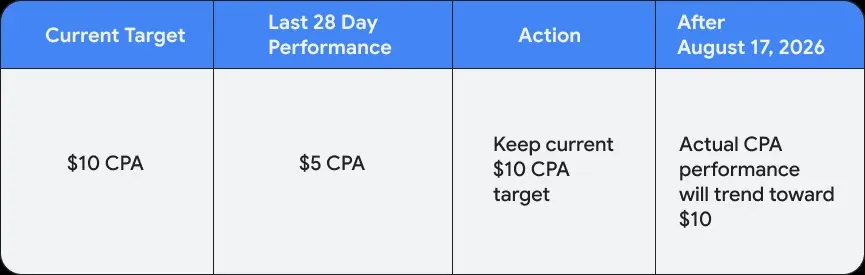
Budget-limited campaigns used to carry an implicit efficiency buffer. When the budget could not cover the auction volume, the system skipped expensive auction opportunities and only entered cheaper ones, so actual efficiency ran well above the stated target. That buffer is gone. The system now bids more strictly around the target. With the same budget and unchanged targets, conversion volume may shrink.
Google confirmed in the FAQ that this change does not directly increase spend. Daily and monthly budget caps are still enforced, the auction mechanism is unchanged, and Google will not adjust advertiser targets or budgets on its own. Google Ads Liaison Ginny Marvin confirmed the same in a public response (cited in a Rank Fuse blog post on August 13). Rank Fuse's take is that the risk comes from efficiency compression, not from spend getting out of control.
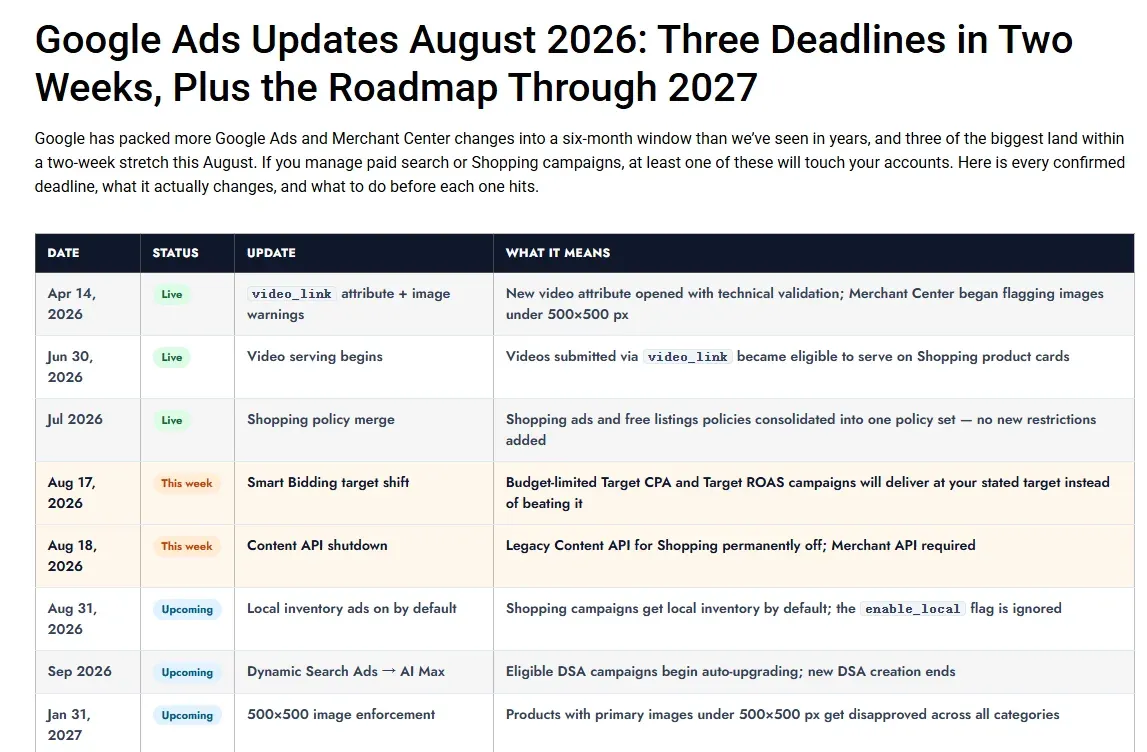
Teams should focus on campaigns whose targets have been looser than actual performance. If the targets were never adjusted, the efficiency bonus has now expired.
What is affected
Search, Shopping, Performance Max, Demand Gen, and Travel campaigns are all in scope. Display and Hotel campaigns were already using the new behavior, so they see no additional change. App campaigns, Video reach, and Video view (VVC) still run under the old logic.
On the strategy side, Target CPA, Target ROAS, and Demand Gen Target CPC are affected. Manual CPC, Target Impression Share, and Target CPM are not. Online and offline click conversions, view-through conversions, and engaged-view conversions are all affected.
Campaigns not marked as Limited by budget behave the same as before. Campaigns using campaign total budgets are not affected either.
One more thing to watch with multi-channel campaigns. Even if total spend stays the same, the share of spend across channels in Performance Max and Demand Gen can shift, so each channel may get a different budget share than before.
On the platform side, Google Ads, Search Ads 360, Display & Video 360 (for Demand Gen), Google Ads Editor, and the Google Ads API are all covered.
Checklist
Google's Bid Target Adjustment Tool has been available since early July (Mesper's René Dallmann confirmed the tool went live on July 6). After signing in, affected campaigns show a banner at the top that says "Review your campaign targets", and the tool can also be reached from the Bidding settings on the Campaigns page.
The tool is only a starting point. An account-level review should at least walk through the following steps.
- Filter for all campaigns marked Limited by budget, then narrow to those using Target CPA, Target ROAS, or Demand Gen Target CPC. That is the affected list.
- Compare recent actual CPA or ROAS against the set target for each campaign. The larger the gap, the more visible the impact. In the official example, a $10 target with $5 actual is a two-times gap, so the effect will be direct.
- Decide based on the gap. Roughly four paths: keep the current target and accept efficiency converging toward it; move the target closer to recent actual performance, which is what Google recommends; leave budget headroom and set the target at the desired efficiency level; or, if budget is tight and ROI fluctuation is acceptable, switch to Maximize conversions or Maximize conversion value.
- Campaigns with fewer than 7 conversions will not get recommended targets from Google, so the targets need to be set manually.
- For portfolio bidding campaigns, target adjustments are made at the portfolio level. When a shared budget is limited, the impact is spread evenly across all campaigns in the portfolio. For portfolio strategies with non-shared budgets, only the budget-limited campaigns are affected.
- For businesses with long conversion delays, wait one to two full conversion cycles before judging. Planning tools like Performance Planner update their prediction models, but predictions may be off during the transition window from August 17 to 31, and Mesper also suggests avoiding major budget changes in this period.
To model the outcome in advance, Bid Simulator gives a rough estimate. Setting targets more aggressively than current levels is also possible, but daily spend may be affected, so run the simulator first.