

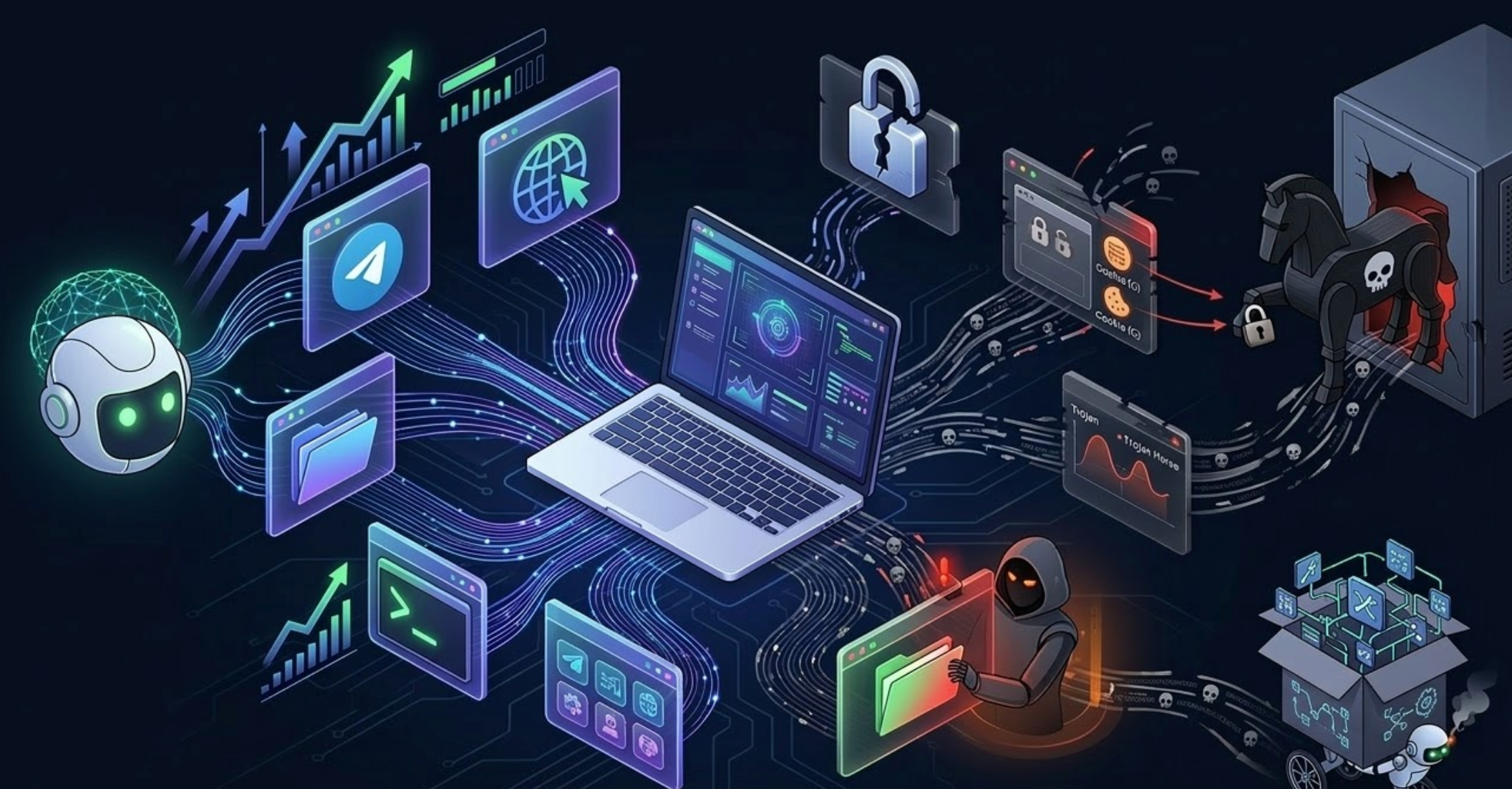
Based on String Global's hands-on testing, we carried out a full breakdown of OpenClaw, one of the most talked-about agent frameworks in the current AI tooling wave. OpenClaw is not another thin wrapper around chat. It behaves more like a personal agent runtime. Its core idea is simple: connect an AI brain to communication tools you already use, such as WeCom or Feishu, then grant it permissions to operate a browser, read and write local files, and call tools.
In our testing, we found that it genuinely has the potential to become a personal Jarvis. But because the underlying design is extremely powerful and low-level, ordinary users need a much clearer understanding of both its capability boundaries and its risk boundaries before using it seriously.
1. Who is OpenClaw really for?
String Global's view is that OpenClaw is not yet an out-of-the-box product for nontechnical users. It is better suited to:
- Developers and technical power users who are comfortable managing system environments and APIs.
- Heavy automation users who care deeply about workflow efficiency.
- Users with strong risk awareness who understand that more capability also means more responsibility.
Its design philosophy is execution first. It does not sacrifice power for safety by default. Instead, it hands the responsibility for drawing boundaries back to the user.
2. Core value: four real use cases from our testing
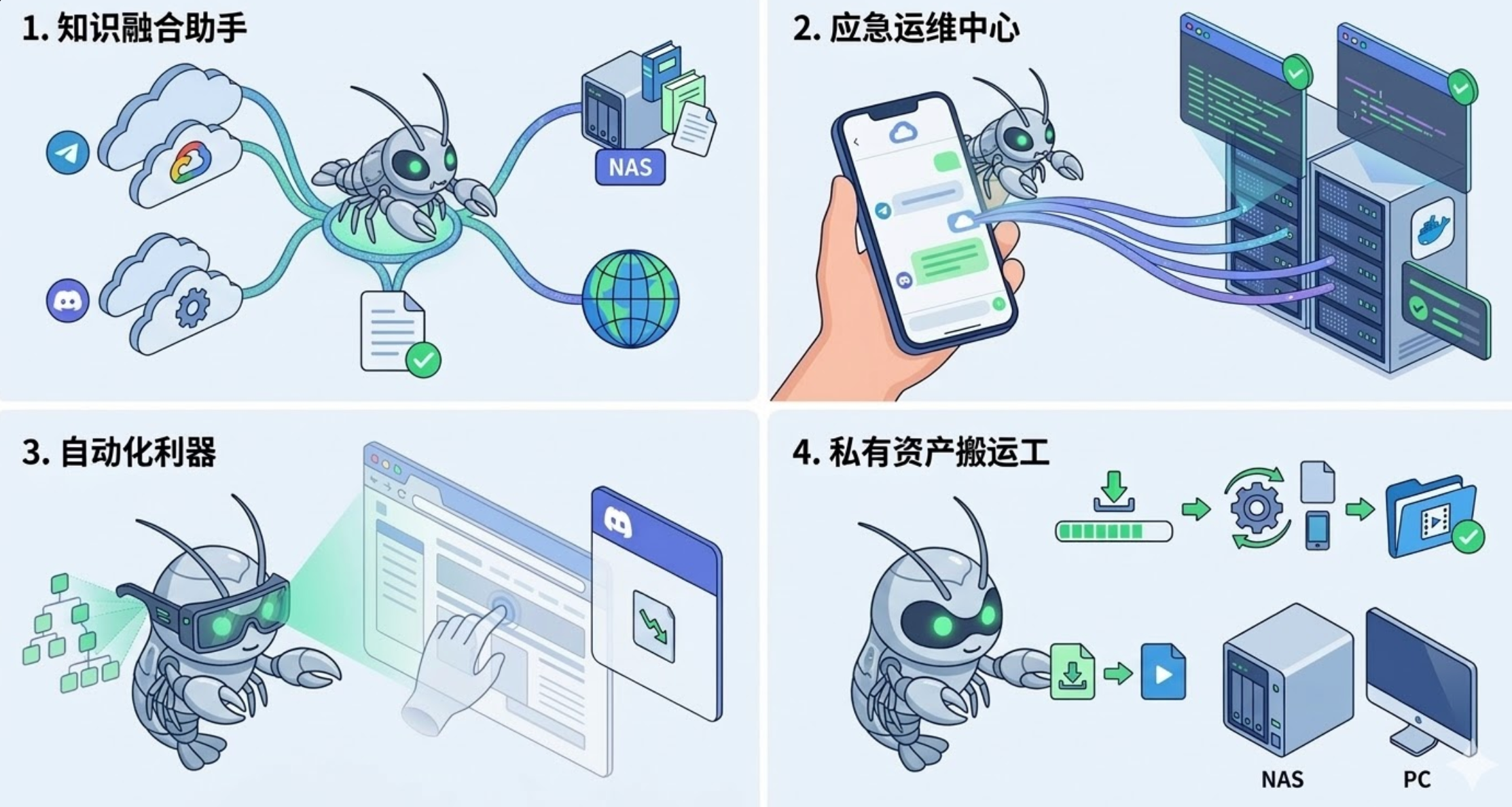
1. A cross-platform personal command center
If you already work through WeCom or Feishu, OpenClaw becomes immediately useful. You do not need to switch between apps. You can simply type a request in chat and have it summarize a document, log a to-do, or trigger a lightweight automation flow. The interaction cost is extremely low, and that is exactly why it can become a high-frequency tool.
In our own testing, we subscribe to large amounts of technical information in Feishu and store a large paper archive on a local NAS. We connected OpenClaw to Telegram and that local knowledge base. Now, when we need to draft a report, we can send a short request in Telegram and have OpenClaw search relevant files on the NAS, fetch the latest open-source intelligence online, and return a comparison table directly in chat. It removes friction between local storage and real-time messaging.
2. A lightweight remote operations entry point for developers
For engineers, this is genuinely useful. PR review alerts, logs, code edits, script triggers, and environment checks no longer require you to SSH into a server every time. A single message from your phone can be enough to check system health or execute a lightweight action. It turns many fragmented operational tasks into one chat-native interface.
In one internal test, our team had multiple Docker containers running in a private environment. One evening while we were out, monitoring showed an abnormal CPU spike on a container. Instead of hunting for a laptop, we replied with a short instruction from a phone. OpenClaw used local shell permissions to run docker stats, located the runaway process, restarted the affected container, and returned a health-check result. In practice, it felt like an emergency ops kit that turned complex remote access into something as simple as replying in chat.
3. Automation for websites with no API
Many legacy education systems, internal portals, or old websites simply do not expose an API. Historically, that meant manual clicking. Once OpenClaw is connected to a browser, it can interact with pages like a human user. As long as the flow is stable, it can automate a surprising amount of work that would otherwise remain stubbornly manual.
In one business-side test, we needed to monitor price movements on a second-hand hardware marketplace with no public API. Using OpenClaw's browser skill, we had it visit the page every 30 minutes in a headless flow, simulate real clicks and scrolling, parse the DOM, and push a Discord alert with a screenshot whenever the price dropped below a threshold. In effect, it made even hostile, developer-unfriendly websites scriptable.
4. A remote brain for your private devices
If you have a home server or NAS, OpenClaw can feel like adding a brain to that hardware. When you are away from the device and need it to fetch a file or run a task, you just send a message. It functions less like a chatbot and more like a conversational device controller.
In our team's testing, we could send a video URL directly in chat. OpenClaw would call local tools such as yt-dlp in the background, download the file, trigger an ffmpeg conversion pipeline, and place the final result into a designated media folder. It connected instruction delivery with physical execution in a seamless way.
3. Risk warnings: the five biggest pitfalls we found
While the efficiency upside is real, our testing also surfaced many sharp edges. Please read the following carefully before deploying it on a live machine.
Risk 1: shared permissions can collapse identity boundaries
If you share one Telegram bot or communication entry with colleagues, every command they send ultimately runs under your local account permissions. Once multiple people issue instructions to the same agent, you are no longer "sharing a robot." You are jointly driving a system that can take action on a real machine. One person asks it to read files, another runs scripts, another clicks through a browser session, and suddenly the permission boundary is gone.
In short, this is an extremely personal tool. It should not be treated like a shared bicycle. Agent separation is not optional. It is essential.
Risk 2: a workspace is not a security boundary
Because OpenClaw has concepts like workspaces, project directories, and context files, it is very easy to assume that if the agent runs inside a directory, it is somehow contained there.
That is not what happens in practice. A workspace is more like the place where the agent prefers to operate. It is not a true isolation layer. Once you grant file access, shell execution, or other high-impact tools, the actual target is still the host machine unless extra sandbox controls exist underneath. The real danger is not immediate breakage. It is the false sense of safety.
The lesson from our internal review was simple: a workspace is an organizational tool, not a security architecture.
Risk 3: browser profile exposure is a serious attack surface
One of the most exciting things about OpenClaw is that it does not just talk. It can act. And browser access is a perfect example of a capability that looks incredibly valuable but becomes risky the moment it touches a real environment.
During testing, we quickly felt the real issue: once browser automation is active, the system is no longer just reading webpages. It is operating inside logged-in sessions, touching forms, backend consoles, cookies, downloaded files, and workflows that normally should require your own direct confirmation.
That means giving it a browser is not giving it a search tool. It is giving it a gateway into your live identity environment.
That mindset shift matters. Many first-time users assume browser access is simply stronger search. But when it is tied to real accounts and live sessions, its risk level becomes completely different from an ordinary tool.
Our internal rule became simple: browser access is possible, but only inside a separate environment. Never let it touch your main account, main profile, or primary download directory.
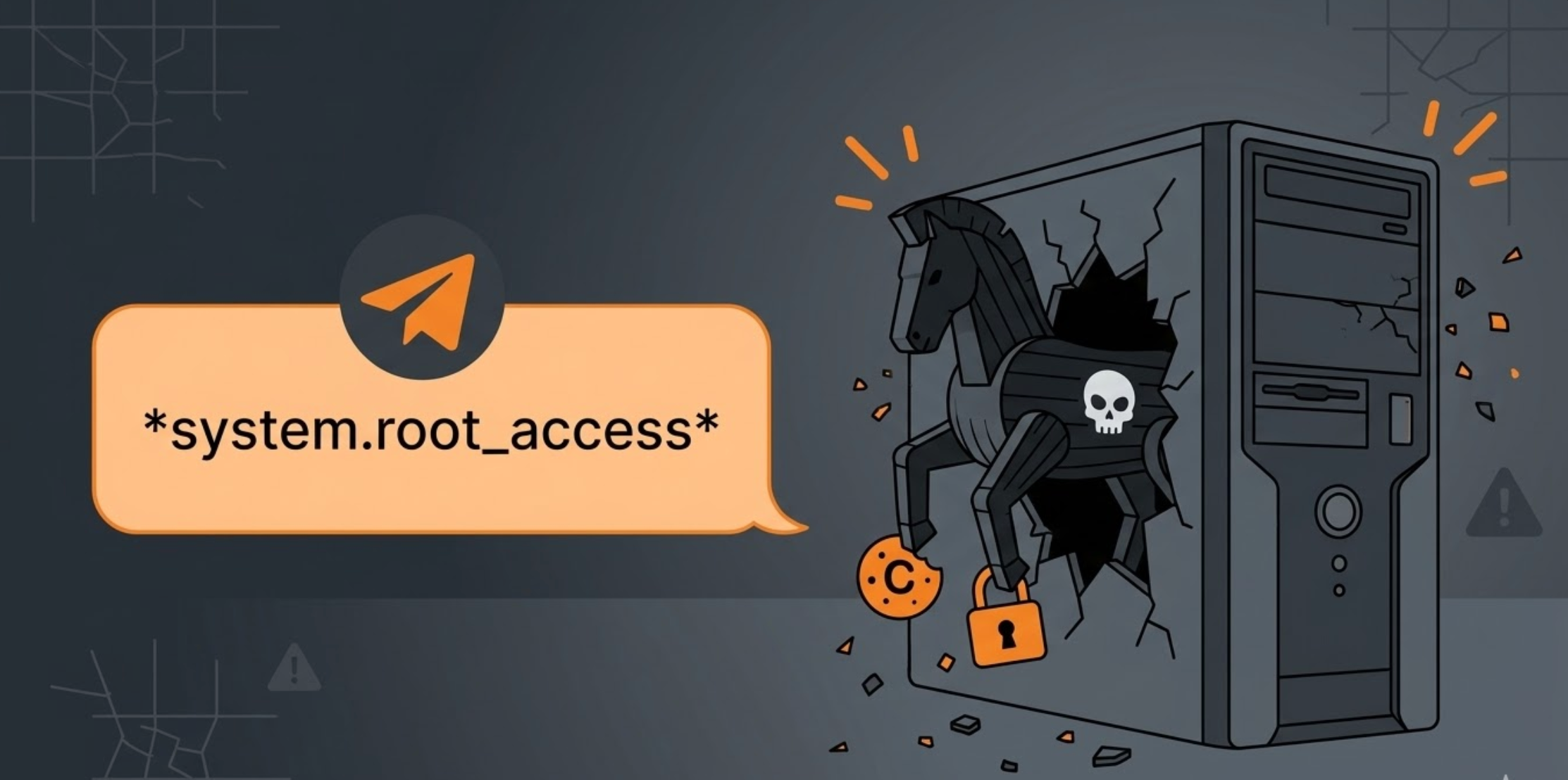
Risk 4: community skills may behave like Trojan horses
We found that many community skills look polished on the surface, but underneath they may be highly dangerous executable scripts. The plugin and skill ecosystem looks like an enhancement layer, but in reality it is also an extension of the execution surface. Do not install skills casually the way you install lightweight browser plugins. If you have not read the source, treat it as untrusted.
Our conclusion here was very plain: every third-party skill should be evaluated as code first, not as feature packaging first.
Risk 5: small local models can break the logic chain
The most frustrating issue is not what the system cannot do. It is how convincing it can look right before it fails. A strong impression from our sustained testing was that OpenClaw's issue is not only instability. The more dangerous problem is that it can appear reliable enough to encourage overtrust. It can read context, call tools, integrate channels, maintain memory, and sometimes complete flows impressively well on the first try.
But once the task graph gets longer, the entry points multiply, and the context window becomes more complex, the system can enter a state where it seems to understand everything while actually behaving much less reliably. On multi-step tool chains, smaller local models below the 14B class often show a sharp drop in reasoning quality, causing half-completed instructions, stalls, or chaotic behavior. Model selection and cost trade-offs still need careful scrutiny.
4. So how should you adopt it safely?
We strongly recommend that developers do not start by enabling everything. Based on our internal deployment experience, we prefer a trust-by-increment rollout path:
- Establish a single-owner model: define the agent strictly as a private assistant for one person at the beginning. Avoid any multi-user or shared-public access before you understand the permission boundaries.
- Choose a clean communication channel: use the most private message entry possible, ideally even a new dedicated bot account. This reduces security issues caused by noisy or mixed channels.
- Enforce the principle of least privilege: begin with read-only or low-risk tools such as search and summarization. Keep any tool that can modify system state or access sensitive accounts disabled at first.
- Unlock capability gradually: observe how stable the agent is in low-pressure environments. Once you trust its behavior, then unlock browser access, file writes, and shell privileges step by step.
String Global's practical view is straightforward: in a high-permission framework like OpenClaw, the power you can successfully keep under control is the power that becomes real productivity.
5. Final thoughts
OpenClaw is exciting because it represents the shift from AI that only chats to AI that can actually operate. But it is still a system for hard-core users, not casual users. Its value does not come from effortless plug-and-play simplicity. It comes from the powerful efficiency gains you unlock after you deliberately manage boundaries, permissions, and risk. If you know what you want and you understand where the red lines are, OpenClaw is absolutely worth testing.