


1. If your account is banned, the first step is not changing the number. It is identifying the type of restriction.
If WhatsApp suddenly tells you that your account can no longer be used, the most important first move is not switching numbers immediately. It is figuring out what kind of enforcement you are facing: a temporary restriction, a permanent ban, or a limitation on business functions. If you misread the type of issue, every step afterward can go in the wrong direction.
Public policies make it clear that WhatsApp takes a hard line against spam, fraud, bulk messaging, auto-messaging, unofficial clients, unauthorized scraping, misleading identity, restricted industries, and repeated user complaints. For businesses, the real danger is usually not one single behavior on its own. It is the combined signal created by high-frequency outreach, weak consent quality, abnormal tooling, and negative feedback.
2. Know which type of ban or restriction you are dealing with
2.1 Temporary restriction
This type often comes with a countdown. The account cannot be used normally for a period, but that does not automatically mean permanent loss. Public guidance suggests that temporary restrictions are commonly tied to unofficial or unsupported clients, suspicious automation, or scraping-like behavior. If you do not remove the trigger, the restriction may return even after the countdown ends.
2.2 Permanent ban
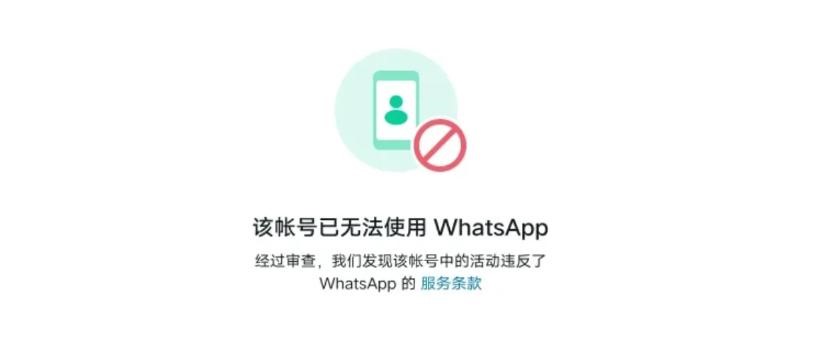
This is more serious. The message usually states that the account is no longer allowed to use WhatsApp, or that the WhatsApp Business account cannot continue operating. At that point, the only path is usually a review or appeal. Whether recovery is possible depends on the violation, the account history, and the review outcome. If the account is tied to fraud, serious policy issues, or repeated abuse, the recovery odds drop sharply.
2.3 Function-level restrictions
These are more common on WhatsApp Business Platform. Meta's official documentation notes that business accounts may first receive warnings and then face progressively stricter messaging limits, such as 1-day, 3-day, 5-day, 7-day, or 30-day restrictions. Severe cases can move into account lock and then permanent removal. In other words, the account may not be fully dead, but it may already be unable to start new conversations, add new numbers, or perform marketing outreach.
3. Common reasons why WhatsApp accounts get banned or restricted
3.1 Contacting users without consent, or getting blocked and reported frequently
This is one of the most common and most underestimated causes. WhatsApp's user terms and Business Messaging Policy both oppose bulk messaging, spam, repeated disturbance, misleading communication, and ignoring opt-out signals. For businesses, the most dangerous variable is not how much you sent. It is whether the recipient actually wanted the message.
3.2 Using unofficial tools, plugins, modified clients, or mass-control systems
Official messaging guidelines explicitly reject unofficial clients, scraping, and automation that harms platform integrity. If a team is still using unofficial blasting plugins, modified apps, account-scraping tools, browser scripts, or so-called control-panel systems, a risk review is usually a matter of time rather than chance.
3.3 Content or industry violations
Business Messaging Policy imposes clear restrictions on certain industries, illegal products, misleading claims, adult content, gambling, tobacco, alcohol, pharmaceuticals, high-risk financial products, multi-level marketing, and more. Some industries are not fully forbidden from using WhatsApp, but their allowed marketing scope, geography, age gating, and message context may be tightly constrained.
3.4 Unclear identity, impersonation, or misleading presentation
Official policy expects business profiles to be accurate and truthful. Companies cannot impersonate other businesses or mislead customers about who they are. If the number's profile, avatar, business name, site, and business description do not match reality, or if multiple accounts repeatedly mimic different brand identities, risk goes up quickly.
3.5 Based on case patterns, abnormal group behavior and sudden relationship-graph changes are also high risk
WhatsApp does not publish every scoring factor in detail, but public cases suggest that creating groups aggressively, adding many people at once, forcing non-contacts into groups, acting as an admin immediately after setting up a new number, or suddenly building many new relationships in a short window can all trigger review. This conclusion comes more from real-world case analysis than from any exhaustive official list, which is exactly why businesses should act conservatively in practice.
4. How to handle the unban and appeal process
4.1 Standard WhatsApp and WhatsApp Business app
The first step is to immediately stop using all unofficial tools. That includes modified apps, bulk-sending plugins, browser scripts, number scrapers, and any "efficiency tools" you cannot clearly explain.
The second step is to confirm that you are using the latest official app and check whether the device, system, or login environment looks abnormal. Do not file a review while continuing risky behavior such as forced group additions, heavy mass messaging, constant device switching, or network switching.
The third step is to request a review inside the app. Based on current help-center guidance and support responses received by users, standard WhatsApp and WhatsApp Business app reviews are usually handled through the in-app Request a review flow rather than through email. If you can still reach the restriction screen, start there first.
The fourth step is to keep the appeal short, specific, and verifiable. At minimum, it should explain four things: your number and business identity, the main usage scenario, confirmation that you are using the official app and have stopped risky automation, and the corrective actions already taken. Avoid emotional essays and avoid spamming support with the same message repeatedly.
A practical short-form enterprise appeal could look like this:
We use this number for customer communication and support.
We believe the restriction may be a mistake.
We confirm we are using the official WhatsApp/WhatsApp Business app and have stopped any potentially risky behavior.
Please review the account and let us know if any specific policy issue needs correction.
The fifth step is to wait for review rather than immediately launching a new number and continuing large-scale outreach. Public cases show that some accounts are restored within hours or within 24 hours, while others remain restricted or get banned again after restoration. Since standard-account review timelines are not guaranteed publicly, teams need to manage expectations carefully.
4.2 WhatsApp Business Platform / API
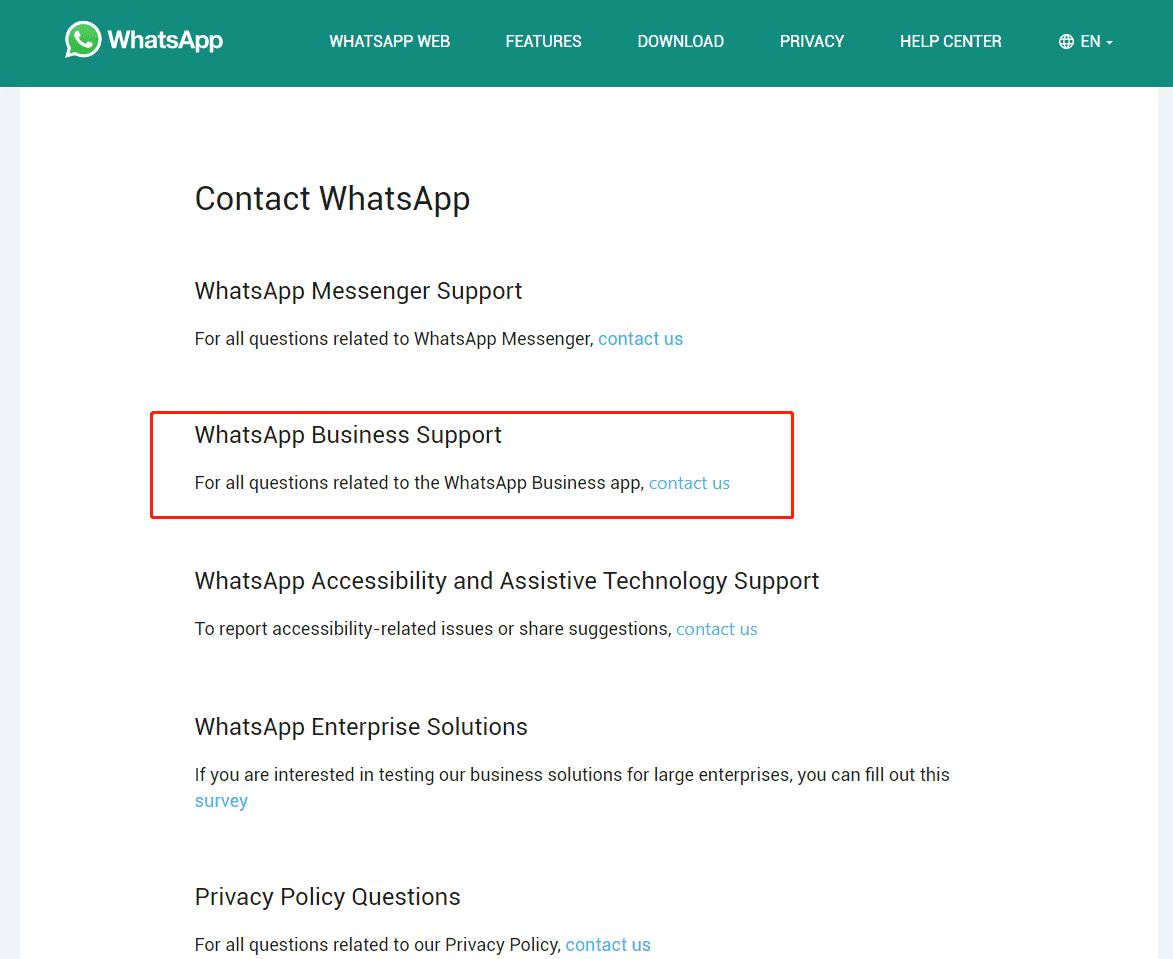
If you are using the official Business Platform rather than the free Business app, the path is clearer. Meta's own documentation says to open Business Support Home, locate the relevant WhatsApp Business Account, find the violation item, click Request Review, add supporting information, and submit. The official typical review window is 24 to 48 hours.
For this kind of appeal, the most valuable materials are not emotional claims of innocence. They are evidence: opt-in records, message templates, use-case explanations, opt-out mechanisms, recent remediation actions, and internal SOPs showing that violations will not continue. For enterprise accounts, an appeal is less about protesting and more about proving that the operation is controllable, correctable, and safe to continue.
5. Common misunderstandings
The first misunderstanding is believing that "we did not use plug-ins, so we should not get banned." Official policy makes it clear that spam, bulk messaging, misleading content, and repeated complaints can trigger restrictions even without unofficial software.
The second misunderstanding is that sending more emails to support will eventually force manual handling. Public cases suggest the support chain is highly automated, and many users are explicitly told to request review inside the app. Organizing a clean appeal package usually works better than repeating the same email endlessly.
The third misunderstanding is treating account warm-up as fake activity, random conversations, or joining many groups. For businesses, real warm-up means reducing abnormal signals: authentic profile data, natural relationship building, gradual sending volume, clear user consent, clean opt-out paths, and official tooling.
The fourth misunderstanding is forcing the free Business app to support scaled marketing and multi-agent collaboration. Once you need template messages, team support, systems integration, traceable compliance, and higher stability, it is time to assess the official Business Platform rather than stacking risky third-party tools on top of the free app.
6. Prevention strategy
First, build all outreach on consent. Business Messaging Policy explicitly requires opt-in, and it also requires companies to honor opt-outs and blocks. Without real consent, no amount of operational sophistication will save the account in the long run.
Second, do not be aggressive with new numbers. Case patterns show that many bans happen at the stage of "new number, immediate groups, immediate additions, sudden relationship expansion." In practice, it is safer to complete the profile first, establish two-way conversations with known contacts, and then expand gradually.
Third, never use unauthorized tools. If you need automation, use the official Business Platform or an authorized BSP. If you need team workflows, integrate with proper service or CRM systems. Do not build business growth on risky plug-ins.
Fourth, treat negative feedback as a core operating metric. Blocks, reports, and opt-outs matter more than how many messages you sent. Meta's official documentation explicitly notes that excessive negative feedback can directly lead to restrictions or removal.
Fifth, protect operational continuity. Do not make one admin the only operator. Do not keep all customer history tied to one number alone. Preserve important customer information in CRM, and validate backup processes in advance. If the appeal fails, recovering chat history and restoring business continuity can be very difficult.
7. String Global client cases
7.1 Rapid group creation and mass additions pushed an account into risk review
One education client moving into overseas markets inherited a number and quickly created course-discussion groups by adding multiple non-contact users in a short time. The account soon triggered spam review and usage restrictions. Our review showed that the problem was not the group name itself, but the overly fast relationship expansion and concentrated group actions. After shifting to one-to-one conversation first, staged group additions, and a more controlled ramp-up, account stability improved significantly.
7.2 It is not only mass blasting that creates risk. A single add-user event can also matter.
One consulting client mainly used WhatsApp for project communication. After adding a new participant into a multi-person conversation, the account soon entered a restricted state. Further analysis suggested that the issue was not that one action in isolation, but the combination of a new relationship suddenly appearing together with an already aggressive recent outreach rhythm. During the appeal process, we helped the client adjust the engagement pace and reduce the likelihood of repeated concentration risk.
7.3 The loss from a ban is not only the number. It is the customer asset tied to it.
One cross-border business that relied heavily on WhatsApp Business for customer communication immediately wanted to replace the number after an account restriction. But the bigger loss was not the number itself. It was the difficulty of transferring chat history, service context, and follow-up continuity completely. This case reminds companies that WhatsApp risk control is not just about "can the account still be used." It is a customer-asset, team-collaboration, and business-continuity issue.
These cases are anonymized from String Global client work. Together, they point to one repeated pattern: the highest-risk situations usually combine weak consent, abnormal relationship behavior, heavy dependence on a single number, and poor backup discipline.